Widgets
Add stats, tips and other blocks above, beside or below the create and edit forms
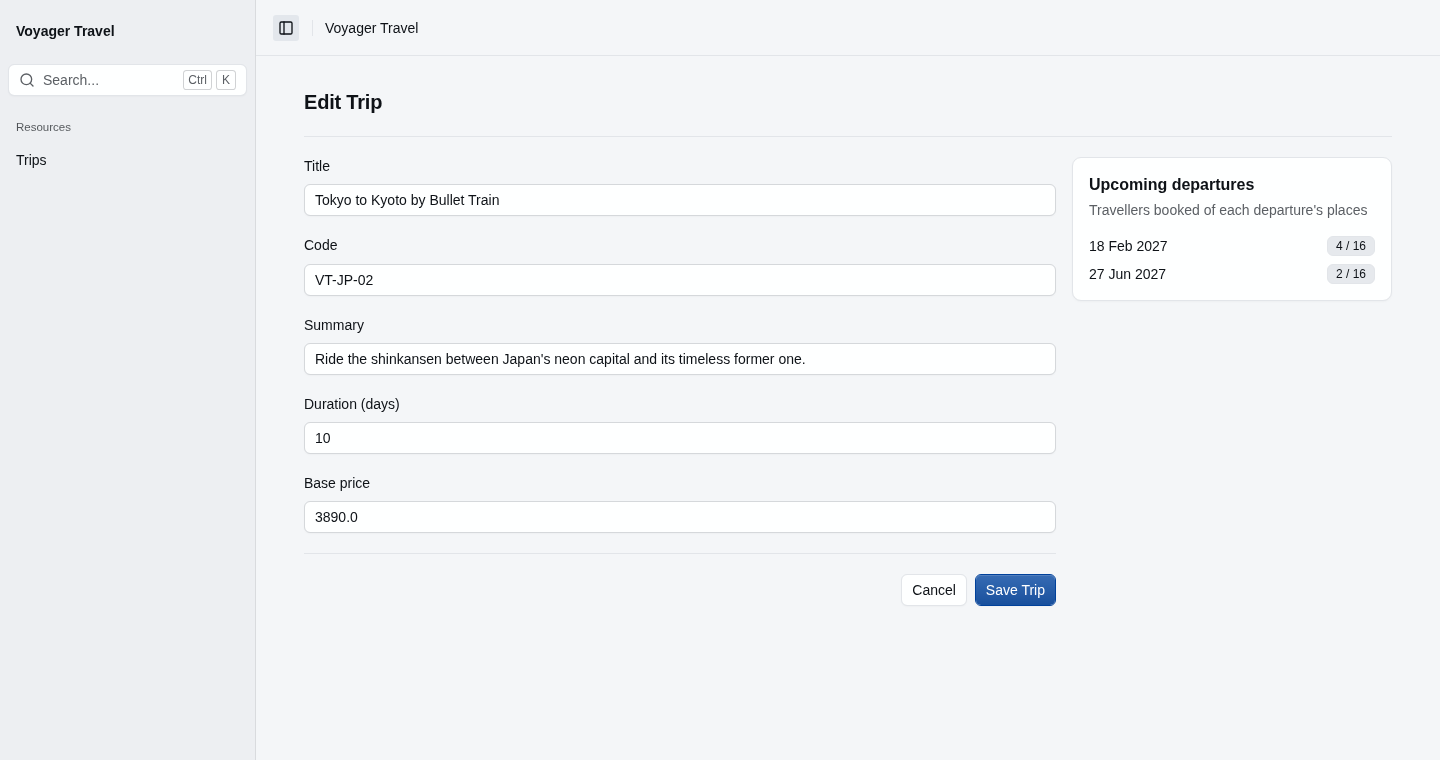
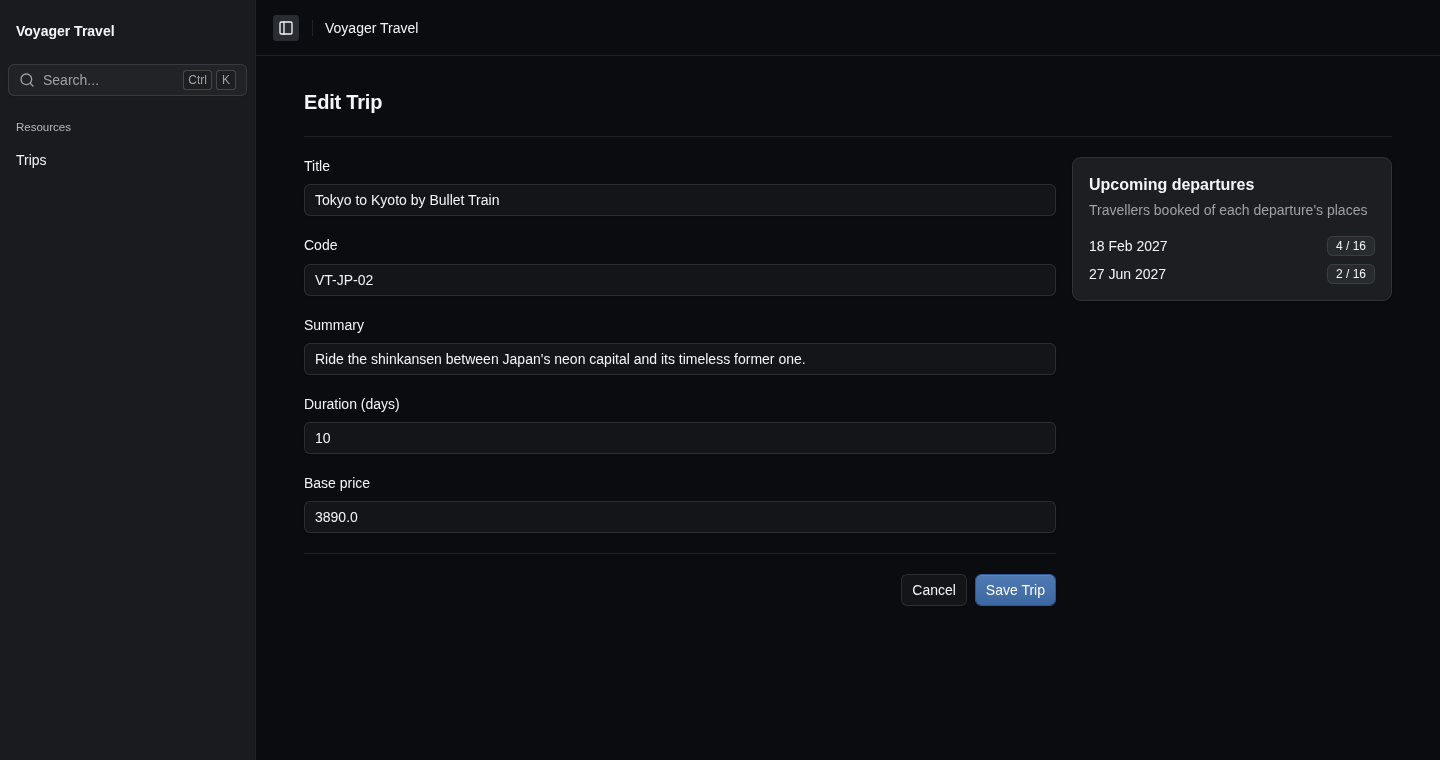
You can add widgets to a resource's create and edit pages, such as a tip above the create form, or the trip's upcoming departures beside its edit form. Form widgets work like home page widgets: each one is rendered using a partial view that you write, and can have a handler that loads its data.
Adding a widget
To add widgets to the create page, call Widgets() in the AllowCreate() callback. To add widgets to the edit page, call Widgets() in the AllowEdit() callback. Each page has its own widgets. The example below adds a tip above the create form, which renders the _TripTipWidget partial view, and a list of the trip's upcoming departures beside the edit form:
resource.AllowCreate(create =>
{
    create.Widgets(widgets => widgets.Add("Tip", "_TripTipWidget"));
});

resource.AllowEdit(edit =>
{
    edit.Widgets(widgets =>
    {
        widgets.Add<UpcomingDeparturesHandler>("Upcoming departures", "_UpcomingDeparturesWidget", widget =>
        {
            widget.Placement = WidgetPlacement.Aside;
            widget.Parameters(context => new UpcomingDeparturesParameters(context.Record.Id));
        });
    });
});
Placement sets where the widget is displayed: WidgetPlacement.Top above the form, which is the default, WidgetPlacement.Aside in a column beside it, or WidgetPlacement.Bottom below it. The column stays in view as the form scrolls. When the page is narrow, the column is displayed below the form.
Widgets are displayed outside the form, so a widget's controls work as they do on the home page, and aren't saved with the form.
Handlers, parameters and the other widget settings work as they do on the home page. See home page widgets for how to write them.
Put the partial view in Areas/StellarAdmin/Views/{slug}/, such as Areas/StellarAdmin/Views/trips/. To use a partial view on several pages, put it in Areas/StellarAdmin/Views/Shared/.
A form that UseInlineRow() puts in the index grid has no page, so StellarAdmin leaves out its widgets and reports a configuration problem.
Using the record
On the edit page, the functions you pass to Parameters() and ShowWhen() receive a RecordWidgetContext<T>, where T is the form's model. Besides the HttpContext, User and Services of a WidgetContext, it has the following properties:
| Property | Description |
|---|---|
Key | The key of the record the form edits, as it appears in the page's URL. |
Record | The record the form edits. If the form has its own model, this is that model. When the form is displayed again because it isn't valid, the record has the values that were submitted. |
On the create page, there's no record yet, so the functions receive a CreateWidgetContext<T>, which has only the properties of a WidgetContext.
A widget without a handler receives the context as its partial view's model. A handler only receives what Parameters() returns, which StellarAdmin puts in the widget's URL, so pass the record's key rather than the record, and load what the widget needs in the handler.