Home page widgets
Add stats, lists and links to the admin panel's home page
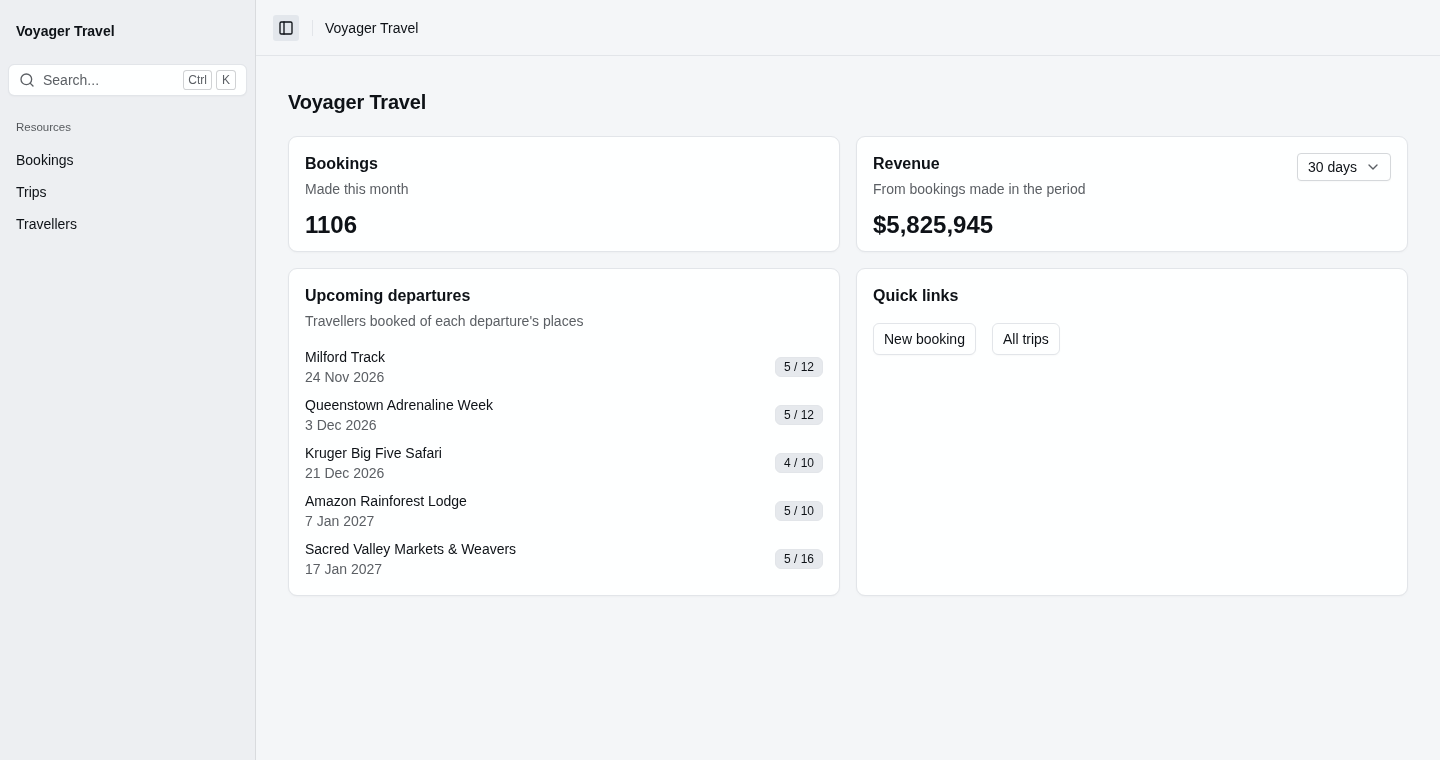
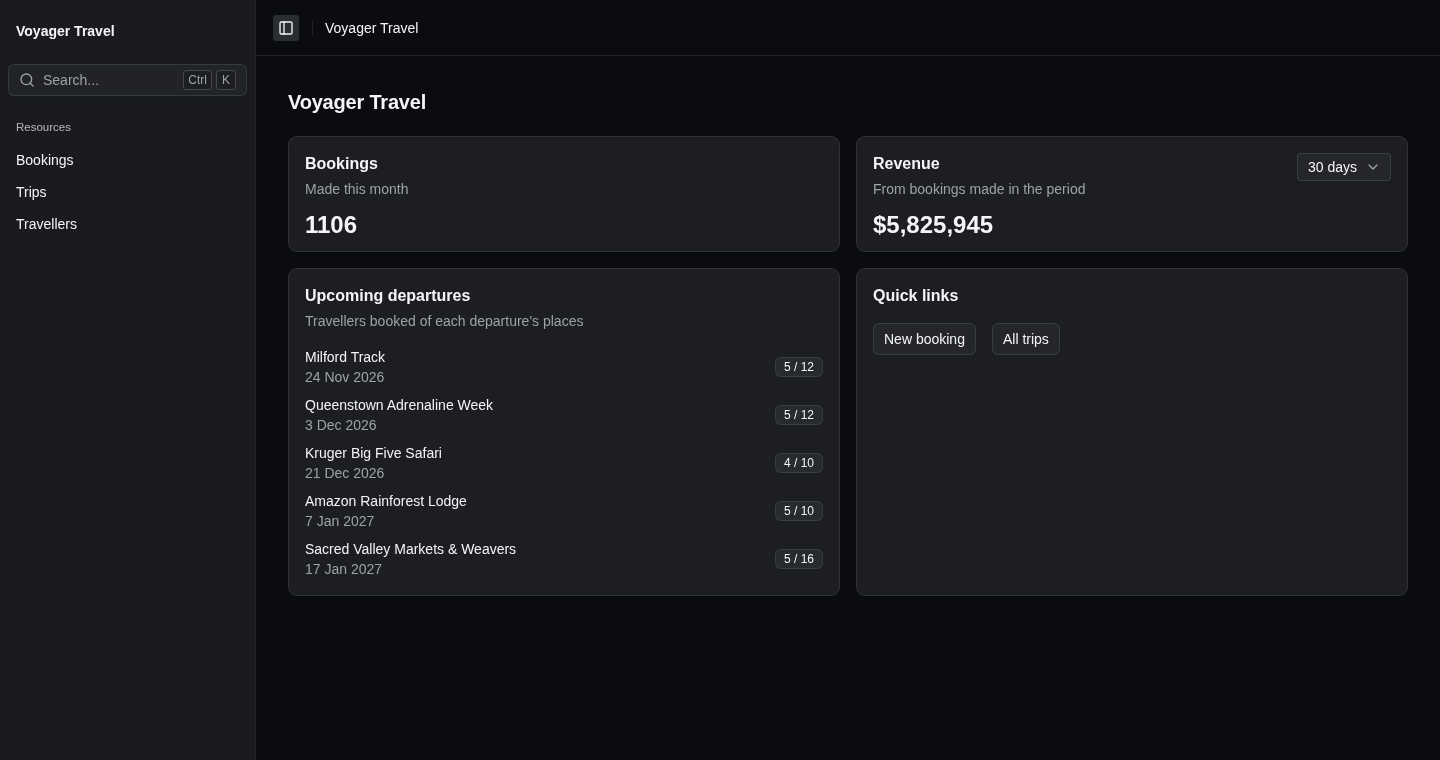
Widgets are blocks on the admin panel's home page, such as a count of this month's bookings, a list of trips that are filling up, or links to common tasks. Each widget is rendered using a partial view that you write, which renders the whole widget, including its card and heading. You can also add widgets to a resource's index page, view page, and create and edit pages.
Adding a widget
To add widgets, call Widgets() in ConfigureHomePage(), and add each widget with Add(). Add() takes a name that identifies the widget on the page, and the name of the partial view. The example below adds a widget that renders the _QuickLinksWidget partial view:
using StellarAdmin.Widgets;

builder.Services.AddStellarAdmin(admin =>
{
    admin.ConfigureHomePage(home => home.Widgets(widgets =>
    {
        widgets.Add("Quick links", "_QuickLinksWidget");
    }));
});
StellarAdmin renders the partial view with the home page, and passes a WidgetContext as its model. The WidgetContext has the request's HttpContext, User and Services. The _QuickLinksWidget partial view below links to the create page of bookings:
@model WidgetContext

<sa-card>
    <sa-card-header>
        <sa-card-title>Quick links</sa-card-title>
    </sa-card-header>
    <sa-card-content>
        <sa-button-link variant="ButtonVariant.Outline" asp-area="StellarAdmin"
                        asp-controller="bookings" asp-action="Create">New booking</sa-button-link>
    </sa-card-content>
</sa-card>
Put the partial view in Areas/StellarAdmin/Views/Home/ or Areas/StellarAdmin/Views/Shared/. The folder needs the view imports, with @using StellarAdmin.Widgets for WidgetContext.
Outside the Development environment, the home page displays the widgets the user can see in place of its links to the resources. A user who can't see any widget still gets the links. In Development, the widgets are displayed below the setup checklist.
Loading a widget's data
Most widgets display data, such as a count from your database. To load the data, write a handler that implements IWidgetHandler<TModel>, where TModel is the partial view's model. Its LoadAsync() method returns the model, or null to hide the widget. The example below counts the bookings made this month:
using StellarAdmin.Widgets;

public record BookingStats(int Count);

public class BookingStatsHandler(ApplicationDbContext db) : IWidgetHandler<BookingStats>
{
    public async Task<BookingStats?> LoadAsync(
        WidgetLoadContext context,
        CancellationToken cancellationToken)
    {
        var start = new DateTime(DateTime.Today.Year, DateTime.Today.Month, 1);
        var count = await db.Bookings.CountAsync(
            booking => booking.BookedAt >= start, cancellationToken);

        return new BookingStats(count);
    }
}
Pass the handler as the type argument of Add():
widgets.Add<BookingStatsHandler>("Bookings", "_BookingStatsWidget");StellarAdmin registers the handler as a scoped service, unless you've already registered it, so its constructor can take your own services. The context parameter has the request's HttpContext, User and the widget's Name.
StellarAdmin loads a widget with a handler after the home page has rendered, so a slow handler doesn't delay the page. Until the data arrives, the widget's place displays a placeholder. If the handler throws an exception, StellarAdmin logs it, and the widget's place displays an error with a Try again button.
Passing parameters to the handler
To pass values from the page to the handler, such as the region a widget reports on, call Parameters() with a function that returns them. The function receives the page's WidgetContext, and returns an object of your own type. The handler implements IWidgetHandler<TParameters, TModel>, and receives the object in its parameters parameter. The example below passes a region and a number of days:
public record RevenueParameters(string Region, int Days);

public class RevenueHandler(ApplicationDbContext db)
    : IWidgetHandler<RevenueParameters, Revenue>
{
    public async Task<Revenue?> LoadAsync(
        RevenueParameters parameters,
        WidgetLoadContext context,
        CancellationToken cancellationToken)
    {
        var since = DateTime.Today.AddDays(-parameters.Days);
        var total = await db.Bookings
            .Where(booking => booking.Region == parameters.Region && booking.BookedAt >= since)
            .SumAsync(booking => booking.TotalAmount, cancellationToken);

        return new Revenue(parameters.Days, total);
    }
}widgets.Add<RevenueHandler>("Revenue", "_RevenueWidget", widget =>
{
widget.Parameters(context => new RevenueParameters("Europe", 30));
});Because the widget loads in a request of its own, StellarAdmin puts the parameters in the widget's URL. They're protected with ASP.NET Core Data Protection, so the handler can trust them. StellarAdmin binds them back with ASP.NET Core model binding, so use types that bind from text, such as numbers, strings, dates and enums.
Model binding turns an empty string into null, and treats a non-nullable string as required. If a string parameter can be empty, declare it as string?. Otherwise the widget fails to bind and displays an error.
The type that Parameters() returns must be the handler's TParameters. If it isn't, or if a handler with parameters has no Parameters() call, StellarAdmin leaves the widget out and reports a configuration problem.
Letting people change a widget
A widget can have its own controls, such as a picker for the period it reports on. Mark the properties of the parameters that the controls change with [WidgetInput]. On a positional record, write [property: WidgetInput]:
public record RevenueParameters(string Region, [property: WidgetInput] int Days);In the partial view, put the controls in <sa-widget-form>, and name each control after the property it changes. When a control changes, the form loads the widget again with the new value. The example below lets people choose between 30 and 90 days:
@model Revenue

<sa-card>
    <sa-card-header>
        <sa-card-title>Revenue</sa-card-title>
        <sa-card-action>
            <sa-widget-form>
                <sa-select name="Days" size="SelectSize.Small" aria-label="Period">
                    <option value="30" selected="@(Model.Days == 30)">30 days</option>
                    <option value="90" selected="@(Model.Days == 90)">90 days</option>
                </sa-select>
            </sa-widget-form>
        </sa-card-action>
    </sa-card-header>
    <sa-card-content>
        <p class="text-2xl font-semibold">@Model.Total.ToString("C")</p>
    </sa-card-content>
</sa-card>
The properties without [WidgetInput] keep the values that Parameters() returned, whatever the request sends. The handler's model includes the current value, Days in the example above, so the partial view can select it.
<sa-widget-form> is a StellarAdmin Tag Helper. The folder's _ViewImports.cshtml must include @addTagHelper *, StellarAdmin, or the form renders as plain text and doesn't load the widget.
Configuring a widget
To configure a widget, pass a callback to Add(). The example below makes the bookings widget span half of the grid and load again every five minutes:
builder.Services.AddStellarAdmin(admin =>
{
    admin.ConfigureHomePage(home => home.Widgets(widgets =>
    {
        widgets.Add<BookingStatsHandler>("Bookings", "_BookingStatsWidget", widget =>
        {
            widget.Span = 6;
            widget.RefreshInterval = TimeSpan.FromMinutes(5);
        });
    }));
});
You can set the following optional properties in the callback:
| Property | Description |
|---|---|
Span | The number of the grid's 12 columns the widget spans, from 1 to 12. Defaults to 12. In a narrow window, every widget spans the whole row, and a widget with a span of 6 or less spans half of it at medium widths. |
Inline | When true, StellarAdmin runs the handler while it renders the page, instead of loading the widget afterwards. Defaults to false. |
RefreshInterval | How often StellarAdmin loads the widget again while the page is open, at least one second. When a refresh fails, the widget keeps what it displayed. Only widgets with a handler refresh. |
Widgets in the same row are stretched to the same height, so their cards line up.
Showing a widget to some users
To display a widget only to some users, call RequireAuthorization(), which takes the same arguments as it does for resources. StellarAdmin doesn't display the widget to users who don't meet the requirements, and refuses its requests from them. The example below displays the revenue widget only to users in the Finance role:
widgets.Add<RevenueHandler>("Revenue", "_RevenueWidget", widget =>
{
    widget.Parameters(context => new RevenueParameters("Europe", 30));
    widget.RequireAuthorization(policy => policy.RequireRole("Finance"));
});
To decide for some other reason, call ShowWhen() with a function that receives the page's WidgetContext and returns false to hide the widget.