Partial views
Display the records on the index page with a partial view of your own
Introduction
When a table or cards don't fit your data, you can display the records on the index page in a way of your own by adding a partial view data layout. StellarAdmin passes the records to your partial view, which the index page displays as a data layout.
Adding a partial view
To display the records in a way of your own, add a partial view data layout by calling AddPartial() with the data layout's key and the name of the partial view:
resource.Index(index =>
{
    index.AddPartial("by-status", "_BookingsByStatus");
});
The partial view's model is a ResourceDataLayoutModel<TItem>, where TItem is the resource's type. A partial view receives every record that the search and the selected scope select, because a partial view has no paging.
The _BookingsByStatus partial view below groups the bookings by their status, with a heading for each status and the total amount of its bookings. Each booking is an item with its reference, booking date and total amount, which links to the booking's view page:
@using StellarAdmin.Resources
@model ResourceDataLayoutModel<Booking>

<sa-stack>
    @foreach (var status in Model.Items.GroupBy(booking => booking.Status).OrderBy(status => status.Key))
    {
        <sa-item-group>
            <sa-item variant="ItemVariant.Muted" size="ItemSize.Small">
                <sa-item-content>
                    <sa-item-title>@status.Key</sa-item-title>
                    <sa-item-description>@status.Sum(booking => booking.TotalAmount).ToString("C0") in total</sa-item-description>
                </sa-item-content>
            </sa-item>
            @foreach (var booking in status.OrderByDescending(booking => booking.BookedAt))
            {
                <sa-item-link variant="ItemVariant.Outline" size="ItemSize.Small" href="@Model.GetViewUrl(booking)">
                    <sa-item-media variant="ItemMediaVariant.Icon">
                        <sa-icon name="ticket"/>
                    </sa-item-media>
                    <sa-item-content>
                        <sa-item-title>@booking.Reference</sa-item-title>
                        <sa-item-description>Booked on @booking.BookedAt.ToString("d MMMM yyyy")</sa-item-description>
                    </sa-item-content>
                    <sa-item-actions>
                        @booking.TotalAmount.ToString("C0")
                    </sa-item-actions>
                </sa-item-link>
            }
        </sa-item-group>
    }
</sa-stack>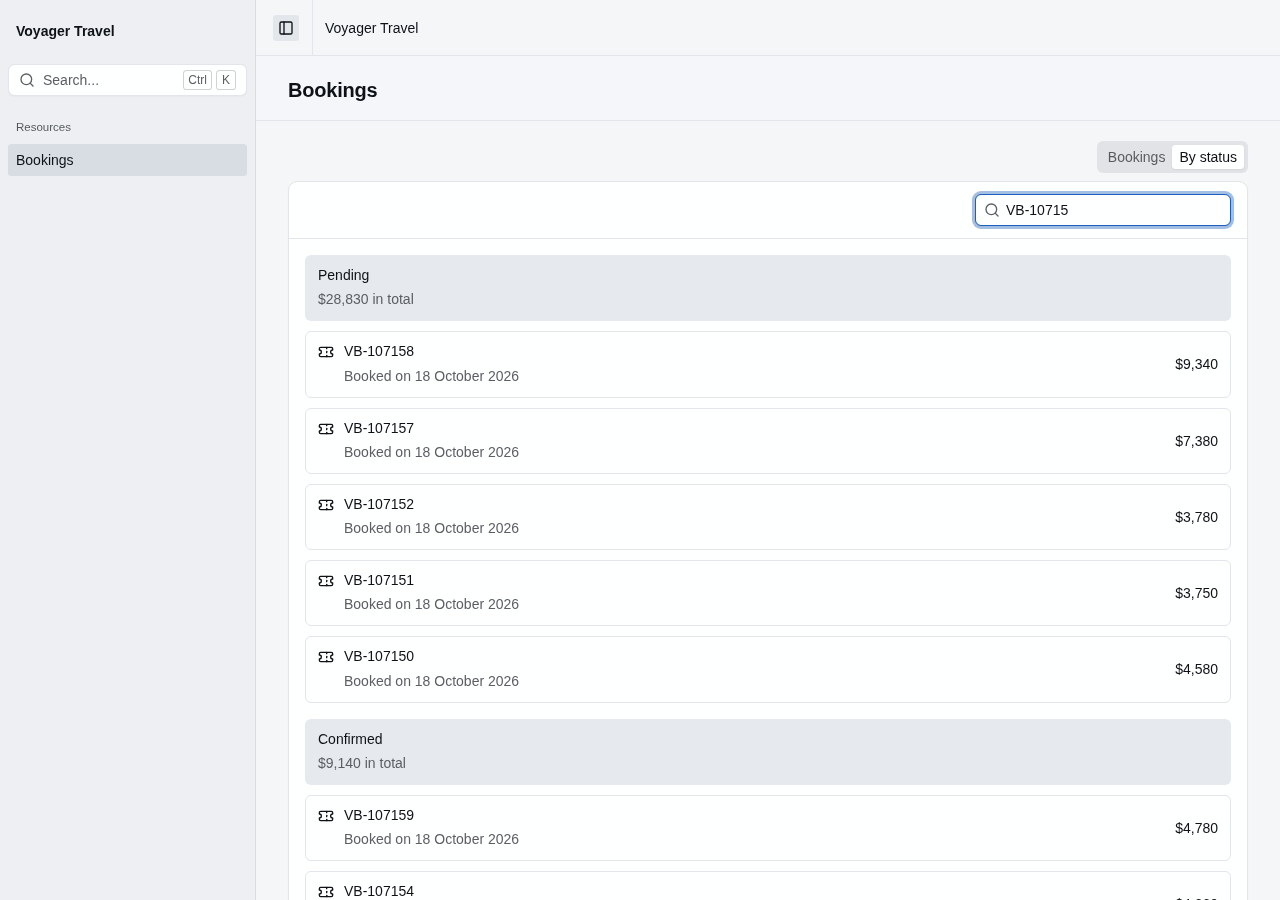
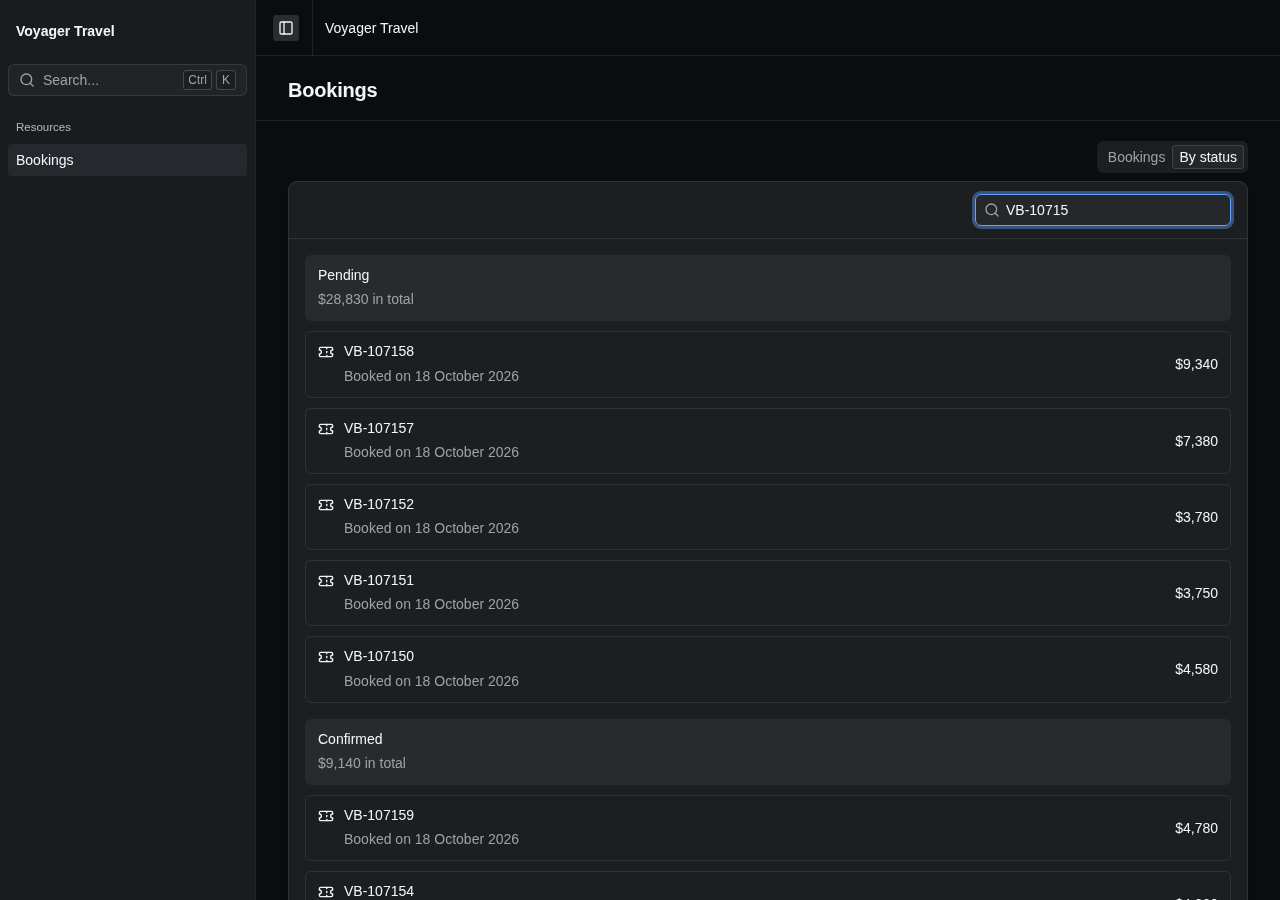
Place the partial view in Areas/StellarAdmin/Views/{resourceSlug}/, for example Areas/StellarAdmin/Views/bookings/, or in Areas/StellarAdmin/Views/Shared/.
ResourceDataLayoutModel<TItem> has the following members:
| Member | Description |
|---|---|
Items | The records to display. |
Request | The request for the records, with the data layout's key in Layout, and the applied search and scope in Search and Scope. |
GetViewUrl(item) | The URL of the record's view page, or null when the resource has no view page. |
GetEditUrl(item) | The URL of the record's edit page, or null when the resource has no edit page. |
GetIndexUrl(values) | The URL of the index page with the current data layout, search and scope. The optional values object adds or replaces values in the URL. |
To link to another data layout, pass its key to GetIndexUrl(). The link keeps the search and the selected scope:
<a href="@Model.GetIndexUrl(new { layout = "finance" })">Compare the totals</a>If you use the StellarAdmin.UI Tag Helpers like the partial view above, be sure to add a _ViewImports.cshtml file that registers the StellarAdmin Tag Helpers, otherwise the <sa-item> elements will render as plain text.
A partial view can also display data that isn't the resource's records. See data from a handler.